
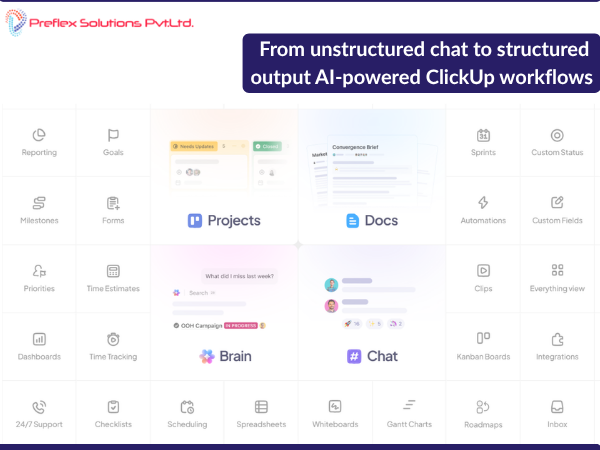
One of the most common challenges in business process design is that requirements rarely arrive in a structured format. Instead, they often come through a mix of meetings, Excel sheets with multiple tabs, fragmented notes, and conversations that move between different languages depending on the team.
While stakeholders understand the process conceptually, translating these discussions into a clear, structured operational workflow can be time-consuming. This becomes even more difficult when multiple departments are involved and responsibilities must be clearly defined.
In this article, I describe an approach I have been experimenting with to transform unstructured discussions into structured workflows using ClickUp combined with AI-assisted documentation and process analysis.
The result is a faster and clearer way to design workflows and convert them into operational systems.
The Problem: Unstructured Requirements
In many organizations, process requirements are documented in ways that make it difficult to understand the complete workflow.
Common scenarios include:
Although the information exists, the process itself is often fragmented.
For example, during discussions around hiring workflows, different stakeholders may describe:
But without a structured view, it is difficult to see the entire operational lifecycle.
This is where process mapping becomes important.
Traditional Approach to Process Mapping
Traditionally, workflow design follows several manual steps:
While effective, this approach can take several hours or even days depending on the complexity of the process.
A New Approach: AI-Assisted Workflow Mapping
To simplify this process, I started experimenting with a workflow that combines meeting capture, AI analysis, and workflow visualization.
The approach consists of four stages:
This significantly reduces the time required to interpret discussions and create process diagrams.
Step 1: Capturing Requirements Using AI Meeting Notes
During process discussions, the AI Notetaker in ClickUp records the meeting and automatically generates a transcript.
This removes the need for manual note-taking and ensures that the entire discussion is documented accurately.
The transcript typically captures:
The meeting transcript is then stored as a ClickUp document.
Step 2: Process Interpretation Using an AI Agent
Once the transcript is available, the document is linked to a ClickUp Super Agentdesigned to analyze process discussions.
The agent performs several tasks:
This step converts unstructured meeting discussions into a clear step-by-step process description.
Step 3: Automatic Workflow Visualization
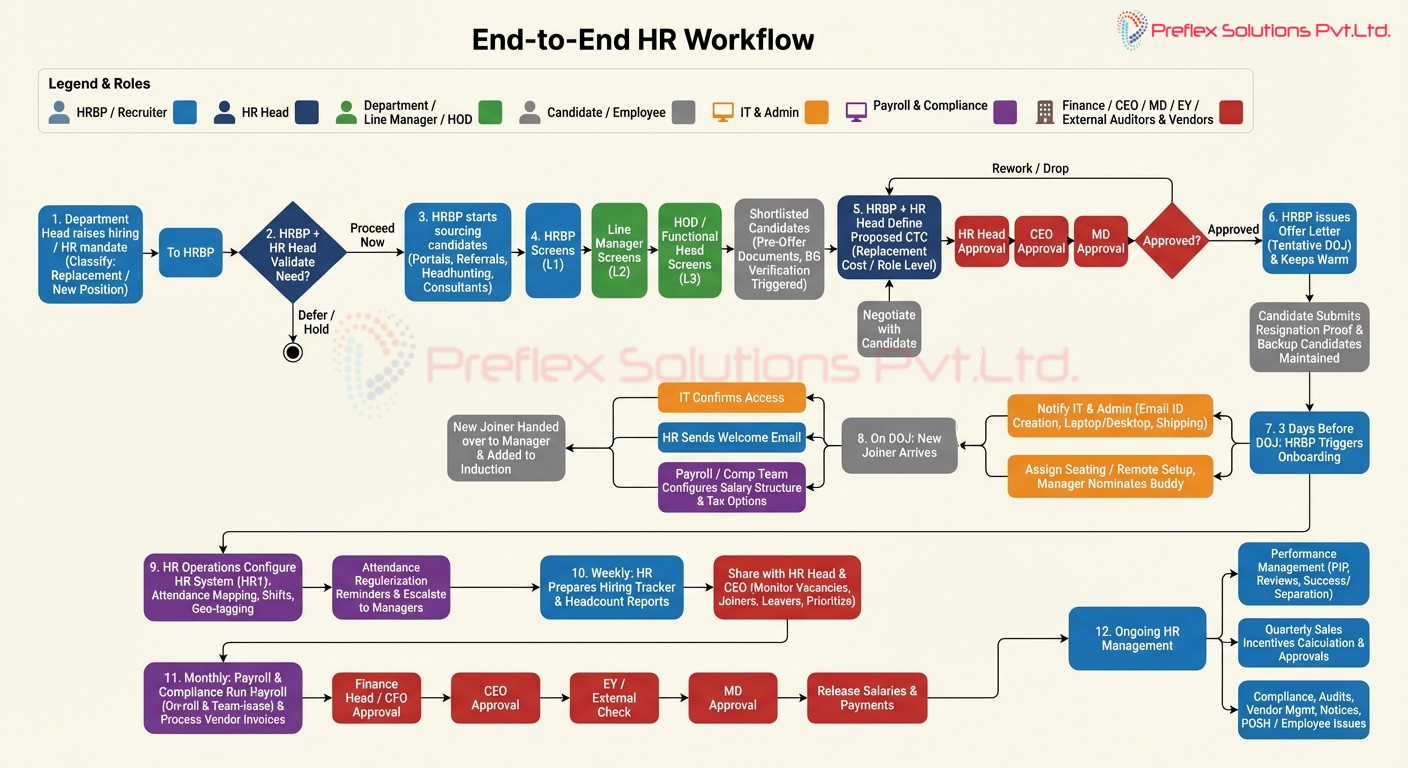
One of the most useful capabilities of the agent is the ability to generate visual workflow diagrams from the structured explanation.
The generated diagram represents:
Normally, building such diagrams manually requires careful interpretation of requirements and significant effort.
With AI-assisted analysis, the diagram can be generated much faster.
Example: HR Hiring and Onboarding Workflow
As an example, the diagram generated in this process maps the complete hiring and onboarding lifecycle within an organization.
The workflow includes several key phases.
Hiring Mandate Initiation
A department or functional head raises a hiring request which is sent to the HR Business Partner (HRBP).
The HRBP determines whether the role is:
Validation and Approval
The HRBP and HR Head review the hiring request and validate the need with the requesting department.
Factors considered include:
Based on this evaluation, the mandate may be:
Only approved mandates move to the next stage.
Candidate Sourcing
Once approved, sourcing activities begin using multiple channels:
Using multiple channels increases the chances of identifying suitable candidates quickly.
Interview Process
Candidates typically go through multiple interview stages:
Candidates who pass these stages move to the offer stage.
Compensation Approval
Compensation proposals are prepared based on several factors:
The proposal typically requires approvals from:
If the compensation is not approved, it may be revised or the candidate may be rejected.
Offer Management
Once approved, the HRBP releases the formal offer letter and confirms the expected date of joining.
During this period:
Pre-Onboarding Preparation
Three days before the joining date, onboarding preparation begins.
The HR team coordinates with:
Onboarding and Integration
On the joining day:
The employee is then handed over to the respective team.
Implementing the Workflow in ClickUp
Once the process was mapped visually, the next step was implementing it in ClickUp.
The workflow was structured using:
Automation added for tasks such as:
This transforms the system from a simple task manager into a workflow execution system.
Benefits of This Approach
Using AI-assisted workflow mapping provides several advantages.
Faster Process Documentation
Meeting discussions can be converted into structured workflows much faster than manual methods.
Clear Responsibility Mapping
Each stage of the process clearly identifies who is responsible.
Improved Process Visibility
Workflow diagrams make it easier for stakeholders to understand the entire process.
Easier Automation Opportunities
Once workflows are structured, identifying automation opportunities becomes much easier.
Final Thoughts
Business operations often rely on processes that are understood informally but rarely documented clearly.By combining AI-assisted documentation with workflow tools like ClickUp, it becomes possible to convert unstructured discussions into structured operational systems.
This approach helps organizations move from informal process knowledge to structured workflow design, enabling better clarity, coordination, and automation.
Vikram C
DevSecOps Engineer , Preflex Solutions Pvt Ltd