
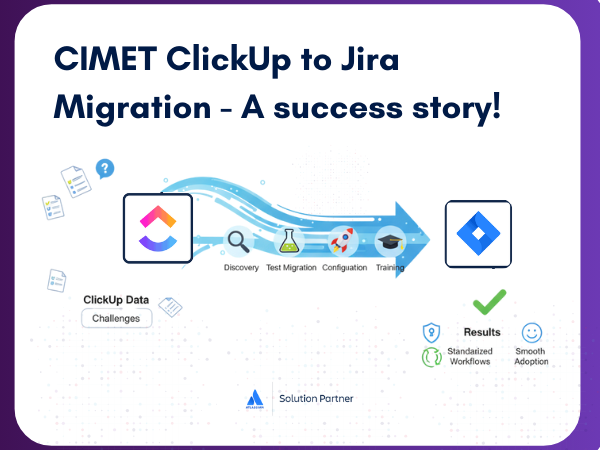
How we helped an IT company migrate from ClickUp to Jira
In today's fast-paced world of IT, businesses often find their tools can't keep up with their needs. We recently worked with a mid-sized IT services and consulting company that was facing this exact problem. While they were using ClickUp for project and task management, their maturing business required greater security, better compliance, and more scalable workflows.
That's where we came in. We helped them migrate from ClickUp to Jira, a move that not only solved their immediate challenges but also set them up for long-term success.
The Challenges of Sticking with ClickUp
The client initially liked ClickUp’s flexibility, but it wasn't meeting their growing needs. They were running into several key issues:
Our Solution: A Structured Migration Process
We tackled the migration in a systematic way to ensure a smooth transition and a successful outcome.
1. Discovery and Planning
We started by collaborating with the client to define what data would be migrated. We clearly outlined the technical constraints, created a timeline, and assigned responsibilities to ensure everyone was on the same page.
2. Test Migration
A crucial step was a trial run. This test migration helped us uncover a tricky issue: how to handle tasks that existed in multiple ClickUp lists. Our solution was to migrate tasks from their primary list and use metadata or labels in Jira to retain visibility into all other lists. The client was happy with this approach.
3. Full Migration
To minimize disruption, we executed the full migration over a weekend. We moved all tasks, attachments, comments, and histories. After the migration, we provided reconciliation reports to confirm the accuracy of the data.
4. Configuration and Enablement
The migration was about more than just moving data; it was about improving their system. We helped the client go beyond a simple "lift and shift" by:
Training and Onboarding
To ensure a smooth transition, we trained client-identified "champions" and conducted role-based training for their development, QA, and marketing teams.
The Results: A Transformative Success
The migration was a resounding success, leading to significant improvements for the client.
Key Takeaways for Your Next Migration
This project reinforced a few key lessons:
Migrating from ClickUp to Jira was a strategic move that provided a scalable, secure, and efficient foundation for our client. With Jira in place, they are now well-positioned to handle future audits, collaborate more effectively, and grow with confidence.
Ready to transform your project management system?
Let's talk about how we can help.